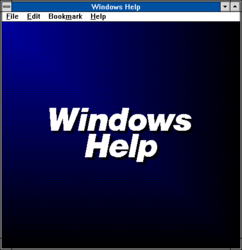
WinHelp
~ the goodbye ~
Every program on every machine I touched in the late nineties had one. A.hlp file sitting in the install directory beside the executable, usually a few hundred kilobytes, holding the entire manual. You pressed F1 and it opened. That was the contract, and for about fifteen years software kept it without anyone having to think about it.
The part that mattered on a 33.6k line in Turkey is that none of it needed the line. A dial-up connection in 1999 was a phone call you were paying for by the minute, so looking something up was a decision with a cost attached and you did not make it lightly. The help file had already been paid for. It came in the box or inside the download, and consulting it took nothing. Documentation has improved in every measurable way since it moved to the web. It has also never again been free at the point of use.
WinHelp shipped with Windows 3.0 on 22 may 1990. Authors wrote their topics in Rich Text Format, marked the jumps between them with footnotes, and ran the whole thing through a compiler that produced the.hlp file. WinHelp 4.0 arrived with Windows 95 in 1995 and is the version most people are picturing, the one with the tabbed contents and the search index.
The green underlined words are the detail everybody remembers without knowing why. A solid underline meant a jump to another topic. A dotted underline meant a popup, a small window carrying a definition that closed again the moment you clicked anywhere. That popup was a footnote you could summon in place, and three decades of web documentation has not settled on anything better.
~ the chronicle ~
| Born | 22 may 1990, with Windows 3.0 |
|---|---|
| Peak | the standard help system in nearly every Windows program through XP |
| Killed | 29 july 2015, the day Windows 10 shipped |
| Lifespan | twenty five years |
| Made by | Microsoft |
| Killed by | a documentation format that could execute code |
~ the dll problem ~
A.hlp file was not only text. The format allowed a help file to load and call a DLL, which existed so authors could add custom buttons and macros to their help windows. It also meant a.hlp file was an executable wearing a manual's clothes, and by the mid 2000s that had stopped being an acceptable thing for Windows to open automatically for any file that arrived by email.
Microsoft's public explanation was gentler and mostly about age. WinHlp32.exe had not had a serious update in years and no longer met the standards being applied to new Windows components, so it was going. Both explanations are true. Only one of them set the date.
~ the long withdrawal ~
Windows Vista shipped on 30 january 2007 without WinHlp32.exe inside it, which was the actual removal. What softened the blow was the download. You could pull the viewer off the Microsoft Download Center and install it, and Microsoft kept doing this for a surprisingly long time, through a Windows 7 build in october 2009 and on to a Windows 8.1 build in november 2013.
Windows 8.1 was the end of it. When Windows 10 shipped on 29 july 2015 there was no viewer and no download offered, and there has not been one since. Double-clicking a.hlp file on a current Windows install opens a support page explaining that the file cannot be opened. That is the whole funeral: a link to a page that tells you why.
~ what came after ~
HTML Help took over, the.chm format, a zipped set of web pages with a viewer built on the Internet Explorer engine. It solved the DLL problem and inherited a fresh version of the same suspicion, since a.chm arriving from anywhere untrusted gets blocked for its own reasons. It is legacy itself now, still supported and no longer where anybody puts new documentation.
Everything went to a website, which is where it still is, behind a search box and dependent on whoever is paying the hosting bill this quarter. The.hlp files never went anywhere. They are sitting on old install discs and in abandonware archives by the thousand, complete and perfectly readable, with no supported way left to open one.
~ leave a rose ~
an anonymous tribute. one rose per visitor per day.
@}-->-- ... roses left here
~ leave a wreath ~
a rose fades by morning. a wreath stays on this grave for good, with your name on it.
from $1, paid once through stripe. it keeps the graveyard running: the hosting and the nightly digging. adopt it and the headstone reads "maintained in memory by" you. the groundskeeper plants new wreaths at the next tending, usually within a day.
» one email a week: new graves and the anniversaries of the dead. subscribe
other utilities: Peel Smart Remote, Mindspark Interactive Network, ClaimID, Fly Labs
also died in 2015-2019: Peel Smart Remote, Drip.fm, The Witcher Battle Arena
~ leave a note ~
visitors before you have left these graveside notes. anonymous welcome.